What an online mechanical components configurator is
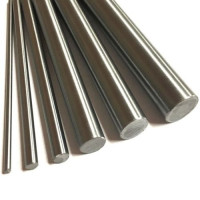
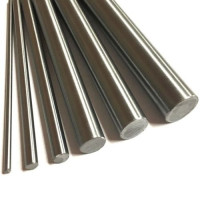
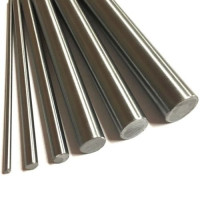
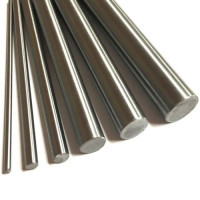
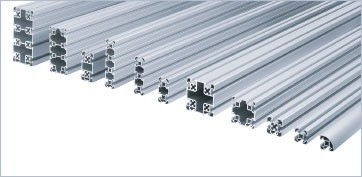
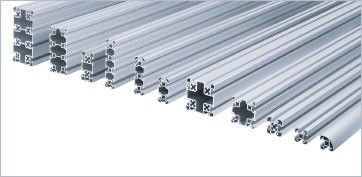
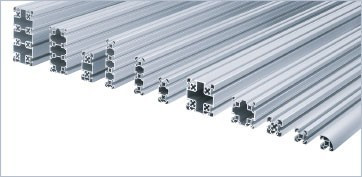
An online configurator for mechanical components is a tool that lets the user select specifications of a standard component (material, size, treatment, machining) and get immediate price, availability and lead time. Typical configurable components include aluminium profiles, linear shafts, plates, guides, trapezoidal screws, belts.
What separates a configurator from a generic e-commerce
• Product is not a static catalogue item but generated dynamically
• Price and availability computed against the specifications
• Millimetre-level cut to size or customisation
• Output usable directly as a BOM line
• Integration with project management and re-ordering
Traditional procurement vs configurator
|
Phase |
Traditional machine shop |
Online configurator |
|
RFQ |
Email/phone, 1-3 days |
Real time |
|
Quote |
1-5 working days |
Immediate |
|
Order confirmation |
1-2 days |
Immediate |
|
Machining |
Variable 3-15 days |
1-5 typical days |
|
Shipping |
Variable |
Tracked from start |
|
Repeat batch reorder |
New RFQ |
From order history |
Benefits for engineering
Faster design iteration
During design, alternative dimensions are often evaluated (a 20 mm or 25 mm shaft, slot 6 or slot 8 profile). With a configurator, each alternative has price and lead time visible immediately, supporting informed decisions without waiting for multiple quotes.
Real-time BOM availability
The configurator pairs the drawing with a directly orderable BOM. The engineer exits design with the order list ready, with no need to compile manual RFQs.
Benefits for purchasing
Reduced transcription errors
In orders managed by email or phone, mis-transcribing a dimension or code is the most common cause of rework and disputes. A configurator eliminates the transcription step: the order confirmed by engineering is the final specification.
Order history for repeat reorders
For batch production runs (e.g. machines in series), the order history lets you replicate the same order without rebuilding the specification. Reordering becomes a checklist instead of a manual process.
BOM import from file
Advanced configurators allow CSV or Excel upload with item codes and quantities. Purchasing uploads the file and gets total price, lead time and availability immediately, with no manual entry.
Benefits for production
Predictable lead time
The configurator shows lead time based on real-time stock availability. Production can plan demand on a defined horizon, avoiding indeterminate waits.
End-to-end order tracking
From confirmation to shipping, every order status is online and trackable. For the workshop this reduces status enquiries and frees purchasing time.
Typical configurator workflow
Operational steps
• Step 1: Engineer identifies the component in the configurator
• Step 2: Selects specifications (length, material, finish, machining)
• Step 3: Verifies price and lead time in real time
• Step 4: Saves the configuration in the project
• Step 5: Adds further components until the BOM is complete
• Step 6: Exports the BOM in PDF or CSV
• Step 7: Confirms the order directly or hands it to purchasing
• Step 8: Receives material on schedule, ready to assemble
Typically configurable components
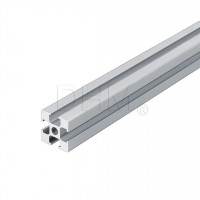
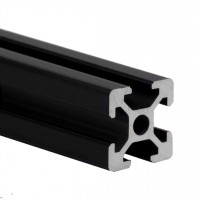
• Aluminium extrusion profiles cut to size
• Linear shafts (ground, hardened, chrome plated) at custom length
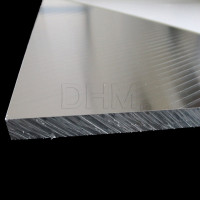
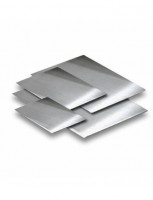
• Ground 5083 aluminium plate cut to size
• Linear guides complete with carriages
• Trapezoidal screws with nut and supports
• Belts at closed or open length
When the configurator does NOT replace a machine shop
The configurator covers standardised components with dimensional variants; it does not replace the machine shop for unique parts to drawing (e.g. complex flanges, welded parts, non-standard tolerances). For these parts the traditional flow remains needed. However, in many projects 80-90% of the material is standardisable and configurable, leaving the shop with only the genuine added value.
Case study: lead time reduction in an OEM
A special-machinery builder for the packaging industry managed aluminium profile procurement via a local machine shop, with manual quotes per project. Average time from drawing to material in the workshop was about three weeks. Moving standard profile procurement to an online configurator brought the same flow down to a few days on typical projects, freeing purchasing capacity for higher-value activities.
Mistakes to avoid when using a configurator
• Not verifying real-time availability before confirming the order
• Ignoring finish lead times (anodising, precision cut)
• Not exporting the BOM for project records
• Not using order history for repeat reorders
• Not sharing the project between engineering, purchasing and production
FAQ
What are configurable mechanical components?
Standard products where the user selects dimensional and machining specifications (length, material, treatment), receiving immediate price, availability and lead time. Typically shafts, profiles, plates, linear guides.
How much time is saved vs a traditional machine shop?
Savings depend on volume and order repetitiveness, but the manual RFQ phase is substantially eliminated and machining starts faster.
Can I order components without a minimum order?
Online configurators typically do not impose minimums on configurable components: even a single cut-to-size piece can be ordered, subject to a free-shipping threshold.
Can I export the BOM from the configurator?
Yes, leading configurators allow project export to PDF (for review) or CSV (for ERP import).
Does the configurator fully replace the machine shop?
No, it covers standardised components with dimensional variants. Unique parts to drawing, welded parts or non-standard machining stay in the shop. The configurator does free the shop from the commodity load.
Conclusion
Adopting a configurator for mechanical components removes hours of manual work on repetitive RFQs and speeds up project development. The right question is not “configurator vs shop” but “how to best distribute load between configurable commodity and unique machining”.