

Worldwide express shipping
Volume discounts
| Quantity | Price |
|---|---|
| 2 | €22.50 |
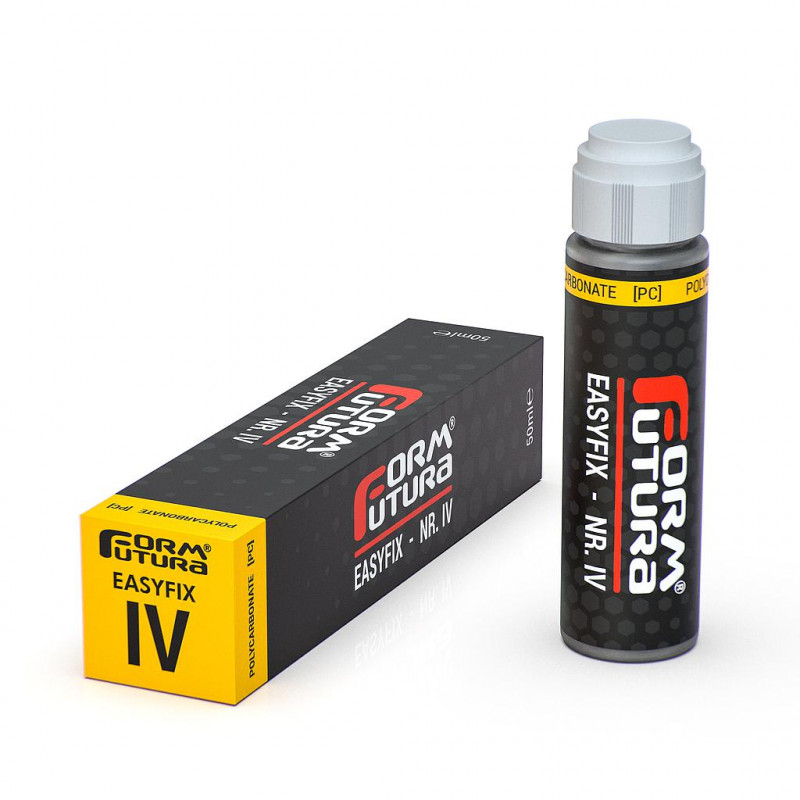
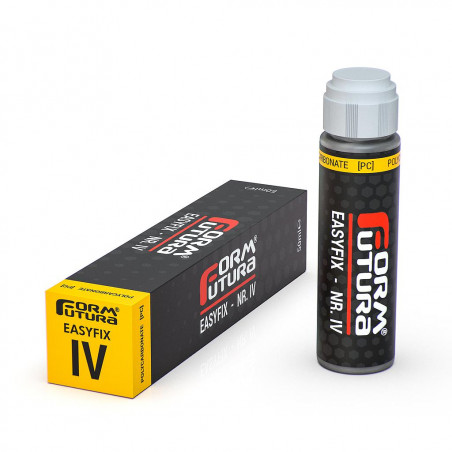
EasyFix Adhesive - No. IV (For PC) - Formfutura
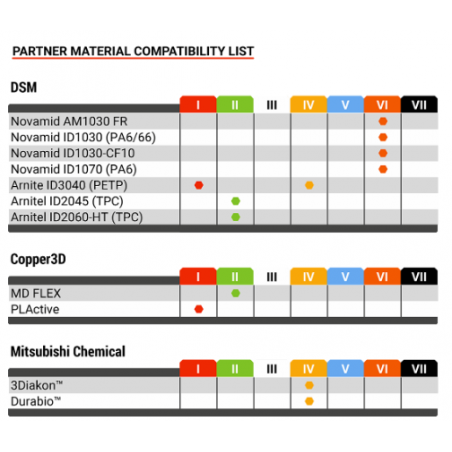
EasyFix - Nr. IV is an adhesive for 3D printing planes that is specifically designed for use with Polycarbonate - PC-based filaments.
EasyFix adhesives are designed to firmly adhere an object to the heated print bed. On the other hand, they also have excellent release properties when the print bed is cold. This makes it very easy to remove the printed object from the print bed, reducing the risk of damaging the bed and the printed object.
How to use EasyFix adhesives for 3D printing:
There is a dedicated EasyFix adhesive for each type of 3D printing filament.
Shake the stick well before use. Make sure the 3D printer table is clean and at room temperature before applying EasyFix. Press the sponge at the top of the stick onto the print bed so that the EasyFix adhesive can wet it. Allow the EasyFix adhesive to gradually wet the sponge, without ever pressing down on the stick.
When the sponge is completely soaked with EasyFix adhesive, you can start to apply it evenly on the printable surface of the 3D printing table. Make sure that the z-height of your 3D printer is correct before starting the printing process. The EasyFix adhesive will stick firmly when the print bed is heated.
Wait until the print bed has cooled to room temperature before removing the printed object. EasyFix 3D printing adhesives have excellent release properties that allow the printed object to be easily removed from the print bed when it has cooled. If it is difficult to remove the printed object, a small amount of hot water can be poured over the affected area. At this point, you have to wait for the water to seep under the object and then slowly remove it.
A print bed prepared with EasyFix adhesive can be used for several print runs.
How to store EasyFix adhesives:
EasyFix stickers should be stored upright in a cool, dry place away from direct sunlight. It is important to store EasyFix stickers in an upright position so that the sponge at the top of the stick does not get wet from the contents during storage. Make sure that the screw cap of your sticker is closed, this will prevent the sponge from drying out. The sponge can be rinsed with tap water in case it has dried out.
How to clean the print bed:
Rinse the print deck with warm water to wash off excess adhesive. Alternatively, you can use a cloth or sponge soaked in warm water to do this.
L'ASA è il materiale consigliato per l'uso esterno. A differenza dell'ABS, l'ASA è altamente resistente ai raggi UV, non ingiallisce e mantiene le sue proprietà meccaniche anche sotto l'esposizione diretta del sole e degli agenti atmosferici.
Il PETG è un materiale molto viscoso. Per ridurre lo stringing, è fondamentale calibrare correttamente la temperatura di stampa e la distanza di ritrazione. Inoltre, assicurati che il filamento sia asciutto, poiché l'umidità assorbita peggiora drasticamente questo fenomeno.
In generale è sconsigliato, poiché ogni resina ha tempi di esposizione e composizioni chimiche differenti. Mescolarle potrebbe portare a fallimenti di stampa o a una polimerizzazione incompleta del pezzo.
La resina liquida è considerata un rifiuto speciale. Non deve mai essere gettata negli scarichi domestici. È necessario polimerizzare i residui liquidi (esponendoli al sole o a lampade UV) fino a renderli solidi, dopodiché possono essere smaltiti seguendo le normative locali sui rifiuti plastici speciali.
La piastra normale può presentare curvature invisibili all'occhio ma enormi per l'ugello di una stampante 3D. La piastra 5083 rettificata è lavorata meccanicamente per essere perfettamente piana e distesa termicamente, il che significa che non si "imbarcherà" mai quando la riscaldi a 80-100°C.
No, il tappetino riscaldante deve essere applicato sulla parte inferiore della piastra rigida (alluminio). La superficie magnetica va applicata sulla parte superiore. Il calore passerà attraverso l'alluminio e la base magnetica per scaldare la superficie in PEI o acciaio.
Per mantenere l'adesione al massimo, è sufficiente pulire la superficie con alcool isopropilico (IPA) tra una stampa e l'altra. Se l'adesione cala drasticamente dopo molti utilizzi, un lavaggio con acqua tiepida e sapone neutro per piatti aiuterà a rimuovere i residui grassi delle dita.
Non è obbligatorio, ma è caldamente consigliato. L'isolamento riduce i tempi di riscaldamento del 30-50% e mantiene la temperatura molto più stabile, evitando che il calore residuo interferisca con il funzionamento dei sensori o dei motori situati sotto il piano.